If your AC seems to run while the house stays warm, start by confirming the thermostat mode and describing what you can observe safely. Air movement indoors does not establish that the whole cooling system is operating correctly.
Your aim is to separate a simple user-setting issue from a problem that needs service. You can do that without opening electrical equipment, touching refrigerant connections, or repeatedly restarting a system that is behaving abnormally.
First describe what “running” means
Stand in a comfortable, accessible room and note what you hear and feel. You might have the indoor blower running, the outdoor equipment operating, or only a thermostat display showing a cooling request.
Write those observations separately. Saying that the fan is moving air is more precise than saying that the entire AC is working but refusing to cool.
If you can safely observe the outdoor unit from a normal walking position, note whether you hear it operating. Do not put your hand inside a grille, remove a cover, or reach around equipment to investigate.
Record whether every room is warm or only a particular area. A house-wide change and an isolated afternoon bedroom problem should not automatically be treated as the same complaint.
If the equipment is making unusual noises, repeatedly stopping, icing, or leaking water where it should not, follow the equipment instructions and arrange service. An observation checklist is not permission to keep operating an apparently troubled system.
Read the thermostat before changing it
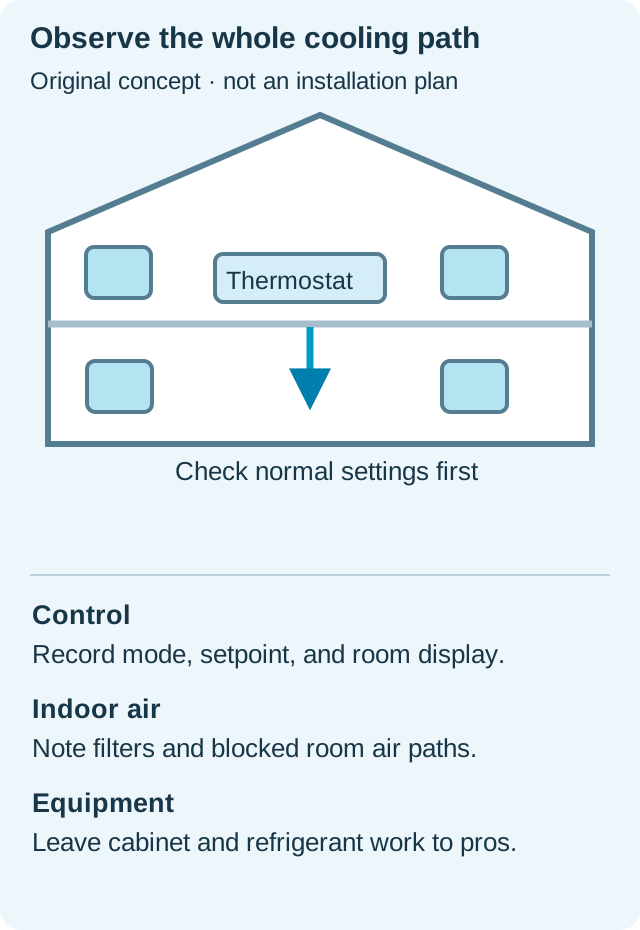
Check the selected mode, set temperature, displayed room temperature, and any visible message. Make sure you understand whether the fan setting describes continuous circulation or normal automatic operation.
An indoor fan can move air between active cooling calls. That means air at a register may not always feel as cool as it did while the cooling equipment was operating.
If someone recently changed a schedule or hold, record that event before making further adjustments. A control setting is easier to understand when you know what changed and when.
Use the user manual to interpret unfamiliar messages. Avoid entering installer menus or changing equipment configuration while you are only trying to confirm a normal setting.
After correcting an obvious user setting, observe the system according to its instructions rather than repeatedly toggling modes. Give the eventual service provider a clear account of any changes you made.

Check the room layout you can see
Look for furniture or household items obstructing known supply registers and returns. If a room was recently rearranged, note the before-and-after layout.
Do not assume that the strongest air movement belongs in every room or that closing other registers is an appropriate fix. The distribution system needs its own assessment when comfort problems persist.
For example, a large cabinet placed in front of a known return is a concrete event worth mentioning. Moving it back may restore the intended open area, but it does not prove that every other part of the system is healthy.
If the home has more than one system, identify which thermostat serves the affected rooms. That simple distinction can prevent a service request from focusing on the wrong outdoor unit.
For a ductless room, confirm that you are looking at the controls and maintenance instructions for the actual indoor unit. Guidance for central ducts may not apply to the equipment serving that space.
Review the filter without improvising a repair
If the manual identifies a safe homeowner filter access point, check the filter according to those instructions. Record its specification and condition rather than fitting an almost-matching replacement in a hurry.
A dirty filter or another airflow problem can contribute to poor operation, but the filter's appearance does not tell you the complete cause of the symptom. Keep your observation separate from the diagnosis.
Do not remove the filter and run the equipment as a test. Do not bend the frame, stack filters, or open a panel that is outside the described user maintenance procedure.
If the filter was changed shortly before the problem appeared, keep the old and new specifications available. That gives a technician a useful change history without proving that the replacement is responsible.
If you cannot locate the approved filter position, ask the installer or building manager. An unanswered access question is a reason to get guidance, not to explore an unfamiliar equipment cabinet.
Notice weather and heat sources
Describe the outdoor conditions and the time the house becomes uncomfortable. A very hot afternoon, direct sun, cooking, or an open exterior door can be useful context for the person assessing the system.
That context does not establish whether the equipment is correctly sized or functioning normally. You are assembling the situation, not excusing a persistent cooling failure because the day is warm.
Use a simple room log if the problem repeats. Keep the thermostat setting, displayed temperature, affected room, time, and relevant household activity together.
Do not compare readings from different rooms as though the instruments and locations were identical. If you use a separate room thermometer, describe where you put it and avoid placing it beside an obvious local heat source.
A short, consistent record is more useful than dozens of readings gathered under changing conditions. You want a pattern that a technician can understand, not a homemade performance certification.
Recognize the professional boundary
Refrigerant, internal electrical components, and mechanical failures require appropriate expertise. A warm register cannot tell you that the system needs a particular part or an additional charge of refrigerant.
If you see ice, describe where it appears from a safe position and follow the equipment's shutdown guidance. Do not chip it away, use heat to force it off, or bypass a control to keep the system running.
If there is water near electrical equipment, stay clear and get appropriate help. A cooling symptom should never become an excuse to work around wet wiring or equipment.
Do not repeatedly reset a breaker or protection device that trips. Record what happened and arrange qualified service rather than turning repeated resets into a troubleshooting routine.
For a rental or shared building, use the established maintenance contact and describe any urgent conditions clearly. Keep permission and responsibility for equipment work with the appropriate person.
Prepare a service request that saves confusion
Include the relevant indoor and outdoor model numbers if they are safely available. Add the thermostat model and a short description distinguishing indoor fan operation from confirmed outdoor operation.
Describe when the problem started, whether it affects the whole house, and any recent service or filter changes. Keep the wording factual even when the situation is frustrating.
An effective example is “The downstairs rooms became warm yesterday afternoon; the thermostat is in cooling mode and the indoor blower moves air.” Add the outdoor observation only if you actually made it.
Ask the service provider whether there are model-specific instructions you should follow while waiting. Follow those instructions instead of collecting more observations through unsafe access or repeated restarts.
When the work is finished, ask what was found, what was changed, and how the result was checked. Save the explanation so a recurring symptom can be assessed against a real history.
Check the result in the rooms you reported
After service, revisit the original complaint under a reasonable, documented operating condition. A system that starts successfully still needs to address the comfort problem you called about.
If only one room remains uncomfortable, explain that clearly instead of reporting that nothing changed. A more specific follow-up helps separate a remaining distribution concern from the issue already repaired.
Keep using the normal controls as instructed and avoid making several new adjustments at once. You will have a clearer picture of the result if you know what changed.
Your job is to confirm simple settings, preserve safe observations, and hand over a useful description. That is enough to move the problem forward without guessing at repairs inside the equipment.
Sources & how to use this guide
Primary references checked October 15, 2026. The planning examples are original editorial suggestions; no home inspection, product ownership, or hands-on testing is claimed.